Connect your Garmin inReach to FieldMate
After setup you can text people on Telegram or WhatsApp and ask the AI assistant, right from Garmin Messenger. Setup takes 10–15 minutes, most of it waiting for satellite delivery.
Before you start
Make sure you have:
- a FieldMate account;
- a Garmin inReach device with an active subscription (any plan works);
- the Garmin Messenger app, paired with your device;
- internet access, so you can share invite links with people before going off grid.
1. Add your Garmin inReach
- In FieldMate, open Devices and select Add device.
- Select Garmin inReach.
- In Device name, enter a name, for example “John's inReach”. No email is needed for Garmin.
- Select Add device and get address. FieldMate shows a temporary verification address.
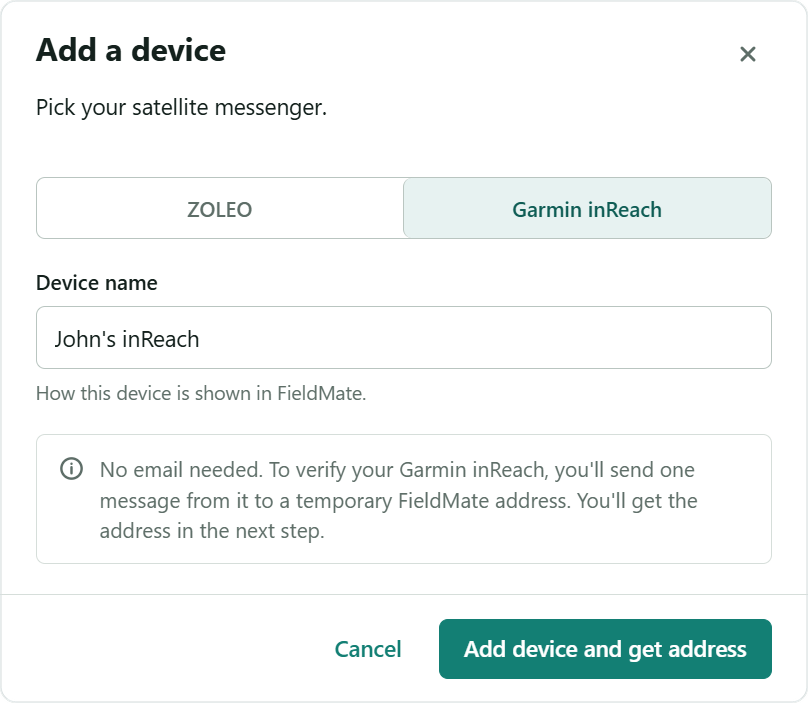
2. Verify your Garmin inReach
Your new inReach appears on the Devices page as Not verified yet. Below your device list, you'll see Verify this device with a temporary Verification address.
- Select Copy to copy the address.
- In Garmin Messenger, start a new message to this address. Any text will do.
- Wait a few minutes. FieldMate confirms the device as soon as the message arrives. To check right away, select Check now.
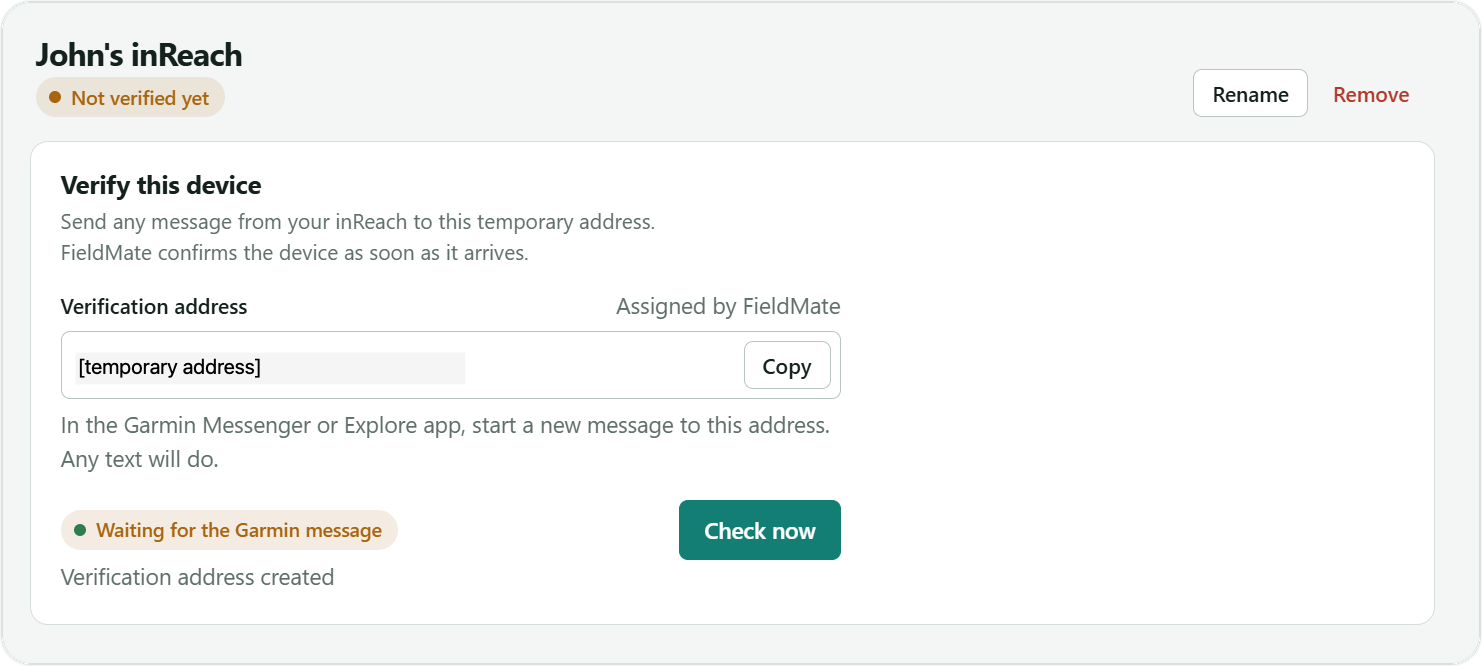
Done when the status changes from Not verified yet to Active.
Until verification is complete, FieldMate can't send anything back to your device. Finish this step before you rely on replies.
3. Talk to the AI assistant
You don't need to add the AI assistant yourself. FieldMate creates it when you add the device. To start talking to it, save its address in Garmin Messenger.
- On the Devices page, find your inReach and copy its AI address from the Address column. It looks like
[email protected]. - In Garmin Messenger, save it as a contact, for example “FieldMate AI”.
- Send a message to that contact whenever you need help.

Long answers arrive as several messages, each fitting the Garmin message limit.
4. Add people
Each person gets their own satellite address in Garmin Messenger. They read and reply in Telegram or WhatsApp.
- In FieldMate, open Contacts and add a contact: enter their name and email. Use a name you'll recognise on the device.
- Choose how they'll get your messages: Telegram or WhatsApp.
- FieldMate creates a satellite address for this contact. Save it as a contact in Garmin Messenger.
- Send the contact their invite link by text, email or any other way.
- The contact opens the link and connects in Telegram or WhatsApp. Send them to the guide for contacts if they need help.
- Send the first message to this contact from Garmin Messenger. Until you do, they can't write to you.
- Now you can message each other. You write and read in Garmin Messenger, and they write and read in Telegram or WhatsApp.
Messages reach the person only after they've opened the invite link. Share it before you go off grid, while you both have internet. Then send your first message, so they can reply.
FieldMate also shows the conversation history on the web. Off grid, keep replying from Garmin Messenger, not from FieldMate.
Limits
| Garmin plan | Any active plan. Your Garmin allowance, overages and charges still apply. |
|---|---|
| One message | Up to 160 characters. |
| Per day | 10 events through FieldMate. |
| Per month | 150 events through FieldMate. |
| AI answers | Split into several messages automatically. |
Something not arriving? See Troubleshooting for Garmin inReach.