Someone writes to you from a satellite device
A friend or colleague is going somewhere without mobile coverage. They'll write to you from a satellite messenger, and you'll get the messages in Telegram or WhatsApp. You don't need a satellite device or a FieldMate account.
Connect in 2 minutes
- Get an invite link from the person. They'll send it by messenger, email or text.
- Open the link on your phone or computer. It opens Telegram or WhatsApp, whichever the person chose for you. If you don't have the app, install it first.
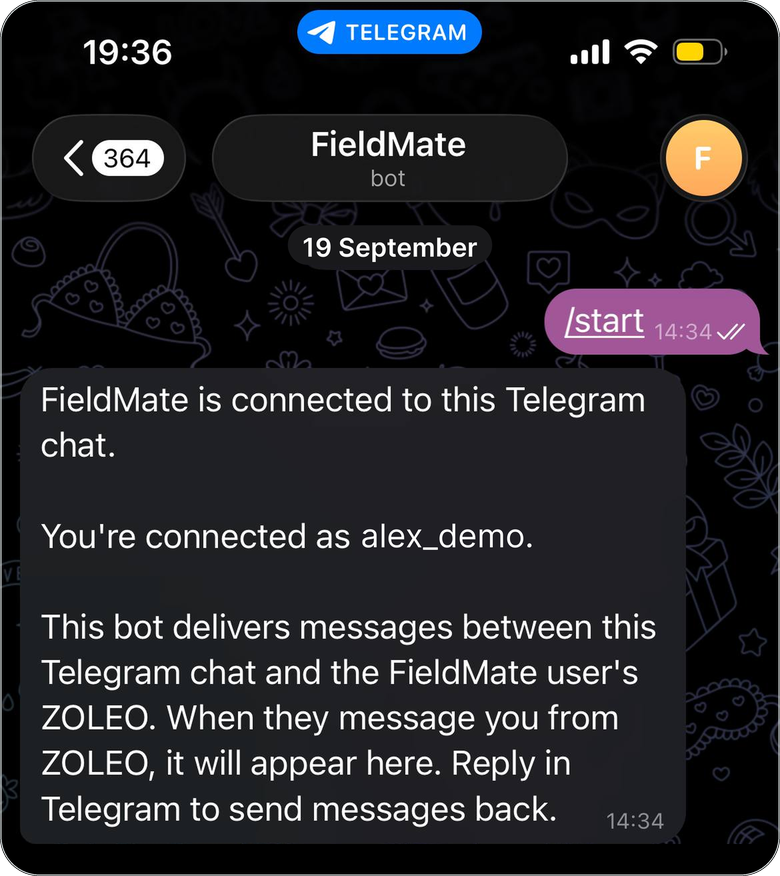
Open the link as soon as you get it. Until you do, the person can't reach you, and once they're off grid they can't send you a new one.
Read and reply
Messages from the person arrive in your chat with FieldMate in Telegram or WhatsApp. To reply, just write in that chat.
Who writes first depends on the person's device:
- ZOLEO: you can write as soon as you've connected.
- Garmin inReach: wait for their first message. You can write only after it arrives.
Write so your message gets through
- Keep it short. Satellite messages are limited: 200 characters on ZOLEO, 160 on Garmin inReach. One thought per message.
- Text only. Photos, voice messages and stickers won't reach a satellite device.
- Expect delays. Delivery takes from a few minutes to much longer. The device may be switched off or have no view of the sky.
- Don't wait for an instant reply. Silence usually means the device is off or out of coverage.
FieldMate is not an emergency service. If you believe the person is in danger, contact local emergency services. Don't rely on FieldMate to raise an alarm.
Messages not arriving? See Troubleshooting for contacts.